Claude Design Tool Overview
On April 18, PCWorld tested Anthropic’s AI design tool, Claude Design, which completed three versions of a web prototype for an AI Tokens educational page in about 25 minutes. However, this task consumed 80% of the weekly quota for Claude Design.
After a mishap where the reporter accidentally cleared the design results, they switched to the lower-cost Sonnet 4.6 model, which depleted the remaining 20% of the quota in just five minutes.
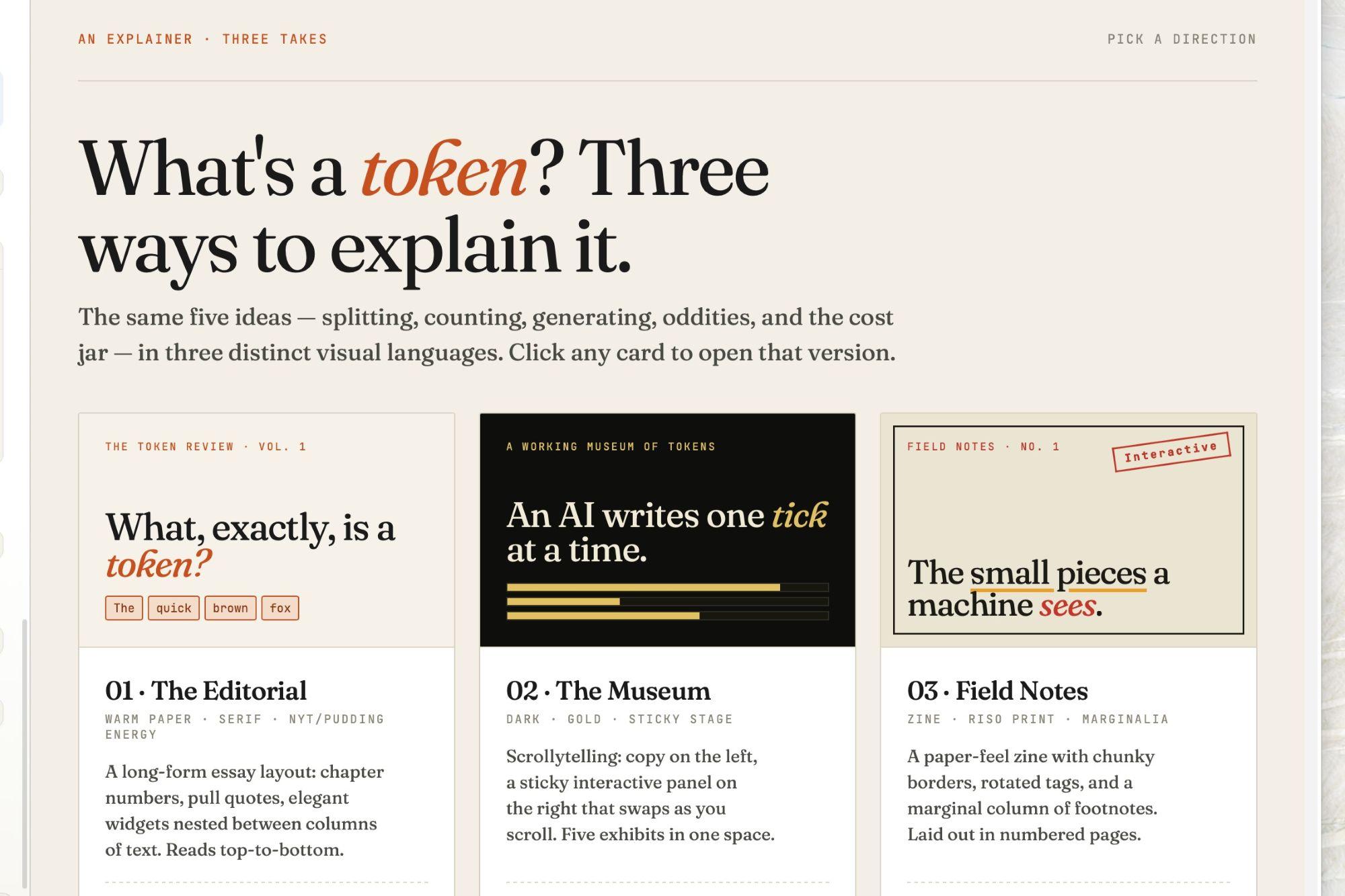
Claude Design was officially launched by Anthropic on April 17, allowing users to generate web prototypes, wireframes, presentations, and marketing materials through text prompts. The outputs can be exported in ZIP, PDF, PPTX, or HTML formats and can directly integrate with Canva or Claude Code for further development.
Currently, the tool is available in a research preview for Claude Pro, Max, team, and enterprise subscribers, powered by the new Opus 4.7 model released on the same day. It features a separate weekly quota that does not affect the total token limits of Claude Chat or Claude Code.
Claude Design bridges the traditionally fragmented design, prototyping, and development processes, enabling direct prototype generation, editing, multi-format exports, and one-click integration with Claude Code for code generation, streamlining the creative process for non-professional users such as product managers and marketers.
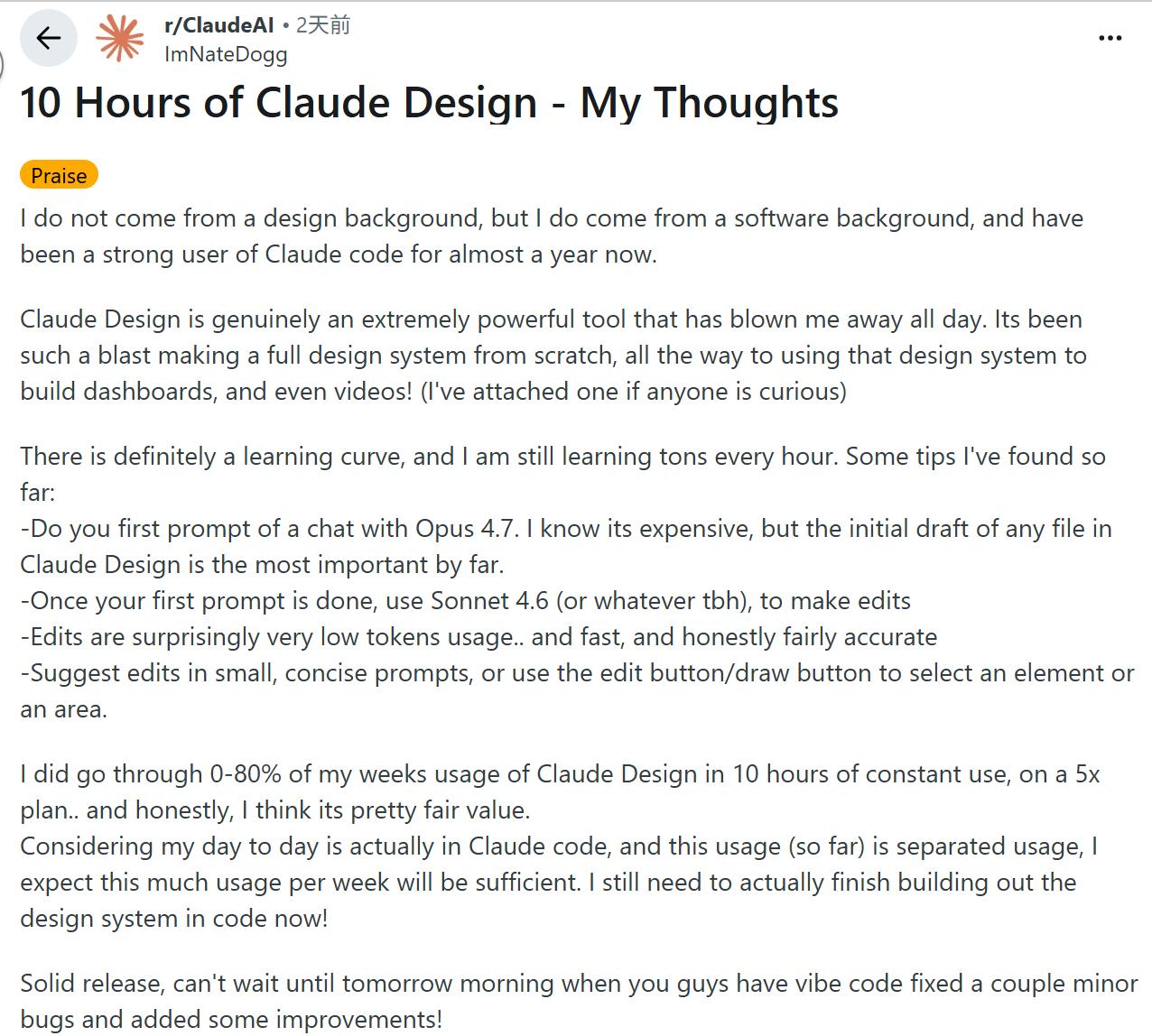
A Reddit user has summarized a more cost-effective usage strategy: complete initial drafts using the high-cost model, then switch to the lower-cost model for minor edits, using brief commands or direct selection to minimize token consumption. However, even with this optimization, a user on a 5x usage Max plan reported consuming about 80% of their weekly quota after 10 hours of continuous use.
Rapid Prototyping in 25 Minutes
When using Claude Design, the interface displays a labeled chat box where users can input initial prompts and choose to create a new prototype or presentation, or start from a template. Users can also fill in their company name, link to GitHub repositories, bind local folders, or upload fonts and logos to prepare personalized resources for future creations.
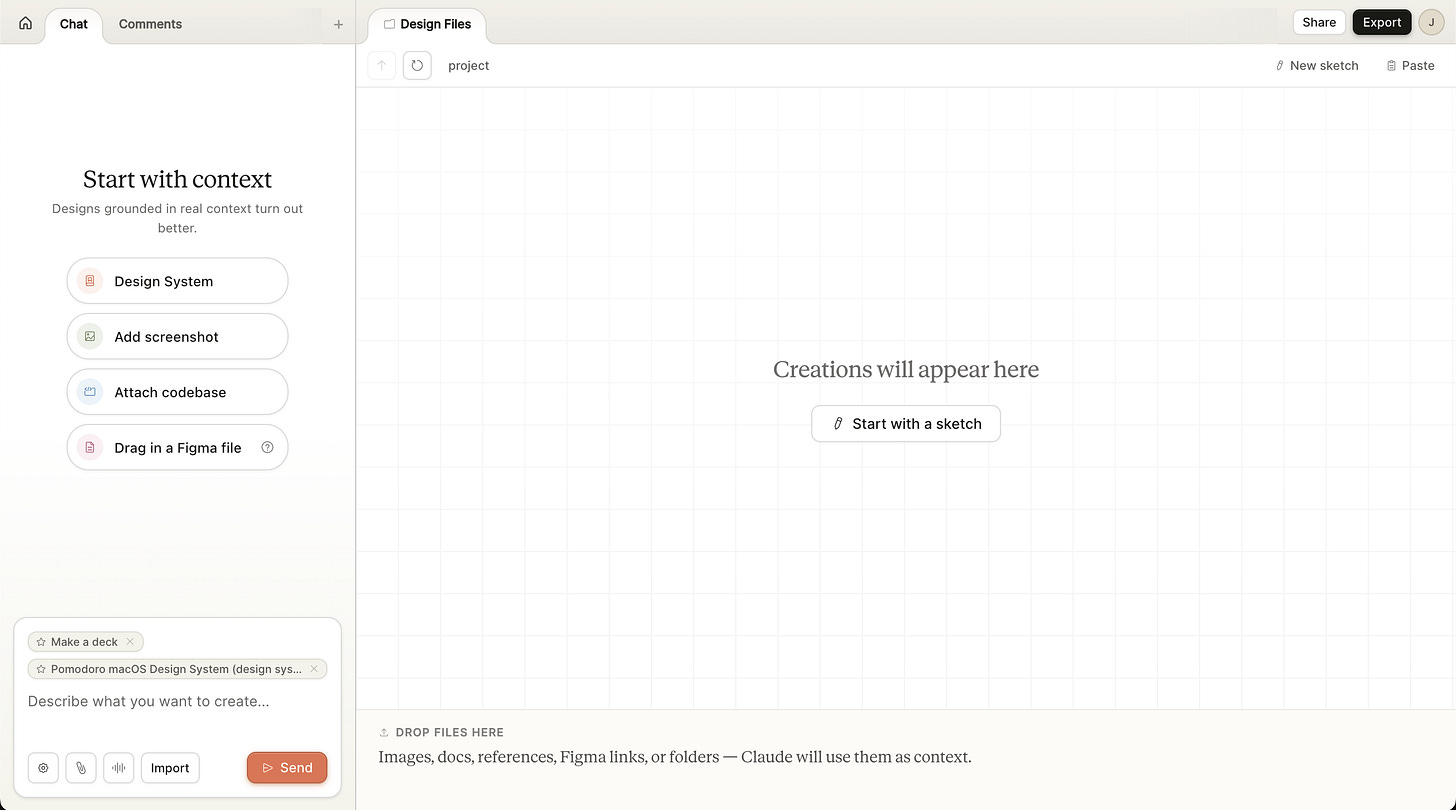
The PCWorld reporter used the simplest method, entering a prompt: “Create an interactive chart explaining the concept of AI Tokens for general users.”
After receiving the request, Claude Design first posed a series of multiple-choice questions: Who is the target audience for this design webpage? What presentation style is preferred? What interactive designs are desired? Should the overall style be serious like The New York Times or cartoonish? What is the approximate content scale?
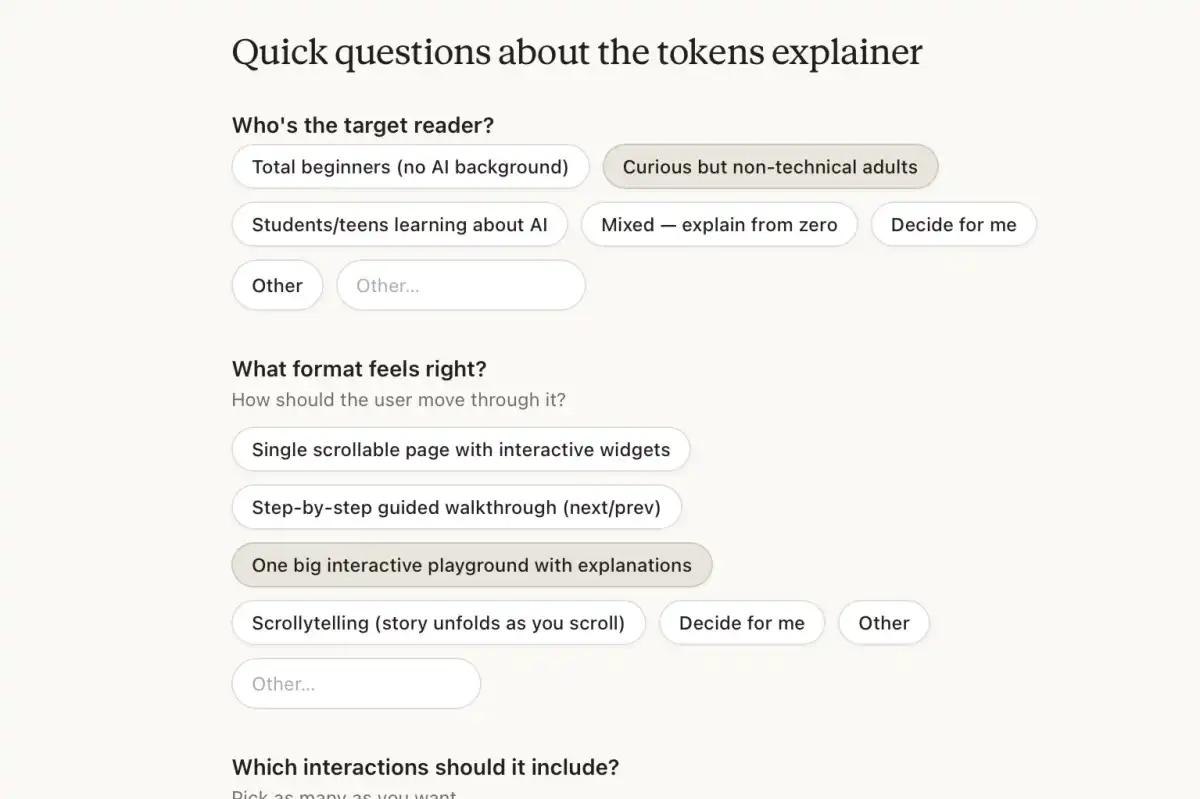
This round of questioning took about a minute. Claude Design then planned the overall approach based on the reporter’s answers, opting for a style similar to The New York Times or the American data journalism outlet The Pudding, using serif fonts for titles, ample white space, and a single theme color.
Once the design process began, the chat window with Claude moved to the left sidebar, while the right side of the webpage became a large canvas for real-time design progress viewing. The canvas had tabs at the top, allowing users to view multiple versions of the project and browse the project source files, with Claude Design supporting simultaneous generation of multiple design options.
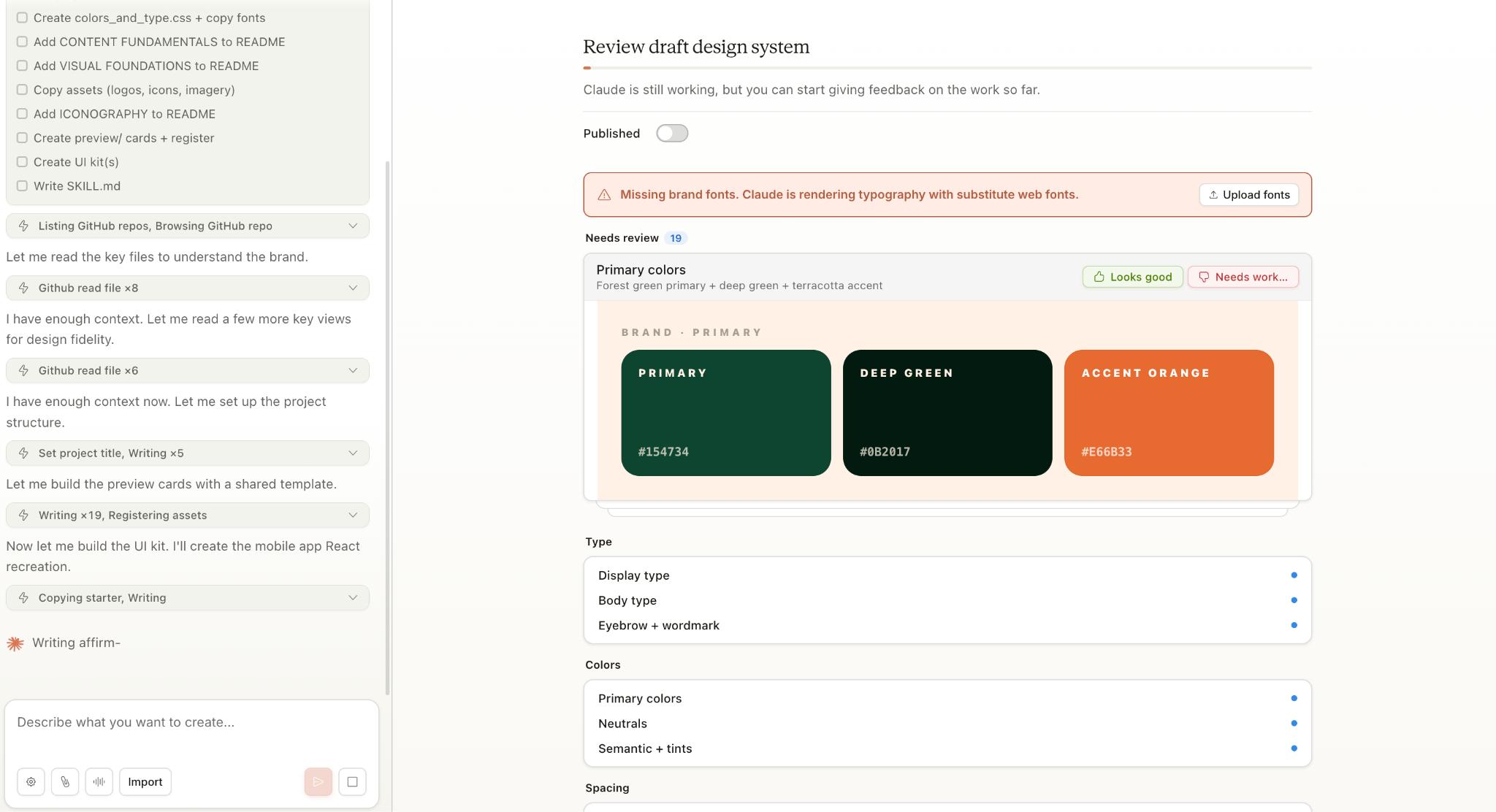
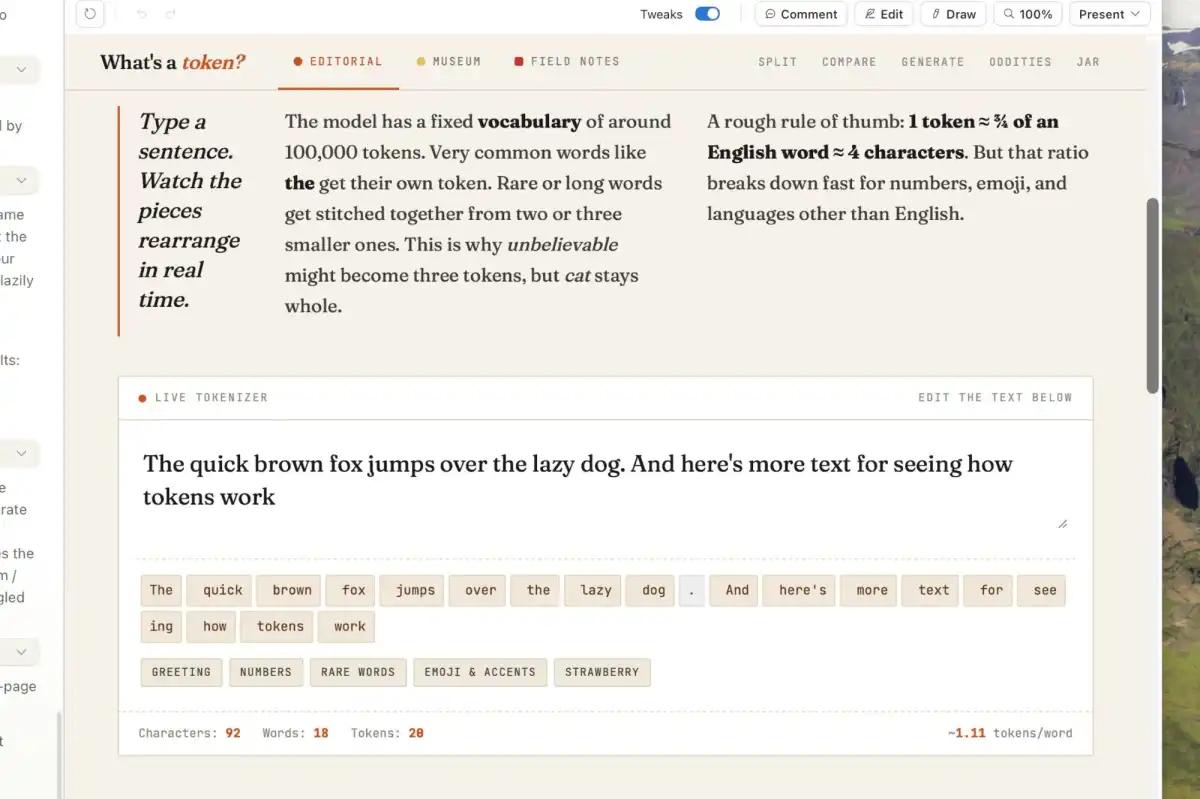
In less than five minutes, Claude Design generated a draft: an aesthetically pleasing webpage with clear and concise text that explained AI Tokens step-by-step and included an interactive module where users could input text to see the real-time token count.
Overall, Claude Design completed three versions of the AI Tokens educational prototype in about 25 minutes, achieving impressive results.
Cost and Operational Risks
However, behind the impressive generation results, the costs and operational risks of using Claude Design began to surface. The PCWorld reporter discovered that in just 25 minutes, 80% of the weekly usage quota allocated to Claude Design under the Claude Pro plan had been consumed. Notably, Claude Design has a separate weekly quota that does not affect the total token limits of Claude Chat or Claude Code. The reporter felt that the Claude Pro plan was more suitable for ordinary personal users rather than enterprise-level usage scenarios requiring application or web prototype creation.
The more frustrating issue was a misoperation. When switching between different prototype versions generated by Claude Design, a prompt appeared stating, “Preview tokens needed,” because Claude had not integrated the multiple design versions generated from the recent conversation into a single HTML file. Due to a misclick, the reporter mistakenly took the “undo” button for a back button, resulting in all design results being cleared with a single click. Claude then indicated that the undo operation had cleared all content, requiring the reporter to rebuild all files from scratch.
With the quota nearly depleted, the reporter switched to the lower-cost Sonnet 4.6 model to restart the design. However, just five minutes later, the Claude Design quota for the week was completely exhausted.
Fortunately, Anthropic recently issued excess quota compensation to Claude users, allowing the reporter to replenish their quota and complete the design test. However, even without the file deletion incident, the usage quota was insufficient to support a complete evaluation process.
User Strategies for Token Efficiency
Experienced users on Reddit provided practical usage advice for Claude Design. On April 18, a user with nearly a year of experience using Claude Code and a software development background shared their experience of using Claude Design for ten hours and summarized several tips for saving tokens:
Users should prioritize using the Opus 4.7 model for the initial file generation, as the quality of the first draft directly impacts subsequent iterations. After completing the initial draft, users can switch to Sonnet 4.6 for local modifications since the token consumption during editing is lower and faster. Additionally, when submitting modification commands, users should aim to be brief and specific, or directly use the editing buttons to select elements for operation to improve efficiency.
This user subscribed to the 5x usage Max plan, and their ten hours of intensive Claude Design usage consumed about 80% of the weekly quota. They found this cost-effective given that the quotas for Claude Design and Claude Code are calculated separately, allowing both tools to be used in parallel.
However, this method essentially requires users to have a clear understanding of the model costs and to actively optimize their usage; otherwise, they risk exhausting their quota during the early exploration phase.
Another designer with over twenty years of experience wrote on Reddit that many current evaluations of AI design tools focus too much on the “rough initial generation effect,” which misses the point. They believe that over the past decade, the design industry has become highly systematized, with much work revolving around design systems, component reuse, and existing standards, essentially just repeating existing patterns.
From the industry’s perspective, only a small number of designers can create brands and innovate design paradigms from scratch; the vast majority of practitioners simply assemble components according to demand specifications.
In this context, the value of AI tools like Claude Design lies not in their ability to generate perfect designs from the outset but in their natural adaptation to structured, rule-based, and repetitive work patterns. This designer believes that the most easily standardized work in the design industry is essentially prepared training data for AI.
It is understandable why Claude Design performs well in “initial generation” but still has gaps when it comes to stages requiring significant judgment and refinement. For users without clear requirements or design judgment capabilities, repeated trial and error not only yields limited results but also quickly escalates usage costs.
From the current performance perspective, Claude Design resembles a “high-cost design accelerator.” It can significantly shorten the time from idea to draft, but only if users know what they want and minimize ineffective revisions.
Conclusion
Claude Design’s ability to generate a complete web prototype in five minutes is indeed impressive. However, this high efficiency comes with a steep token consumption. Whether generating multiple prototype versions, previewing, modifying, or dealing with misoperations, token consumption continues to rise. While AI lowers the threshold for operations from 0 to 1, it makes the cost of trial and error expensive.
This high trial and error cost changes how users approach these tools. For ordinary users, Claude Design cannot judge which direction is more correct. If users allow AI to repeatedly generate and compare options without clear direction, the token quota may quickly deplete before they clarify their thoughts.
Thus, for AI tools like Claude Design, the question of “how usable is it” remains a focus, but it is no longer a simple question. Whether it can allow users to smoothly complete a complete creative process within controllable token costs determines whether it is a true productivity tool or merely an expensive toy for experimentation.
Comments
Discussion is powered by Giscus (GitHub Discussions). Add
repo,repoID,category, andcategoryIDunder[params.comments.giscus]inhugo.tomlusing the values from the Giscus setup tool.